Yes, it is. We plan to add ads and/or premium subscription plans in the future to cover server costs.
You upload a demo through the upload form, the website analyzes the demo, and then shows you what happened during the match. You select the moment you want to clip, and the website will add it to the queue. Once the clip is rendered, it will be available on your Clips page.
To find the match sharing code of a Valve match in CS2, open the game and go to "Watch Matches and Tournaments".
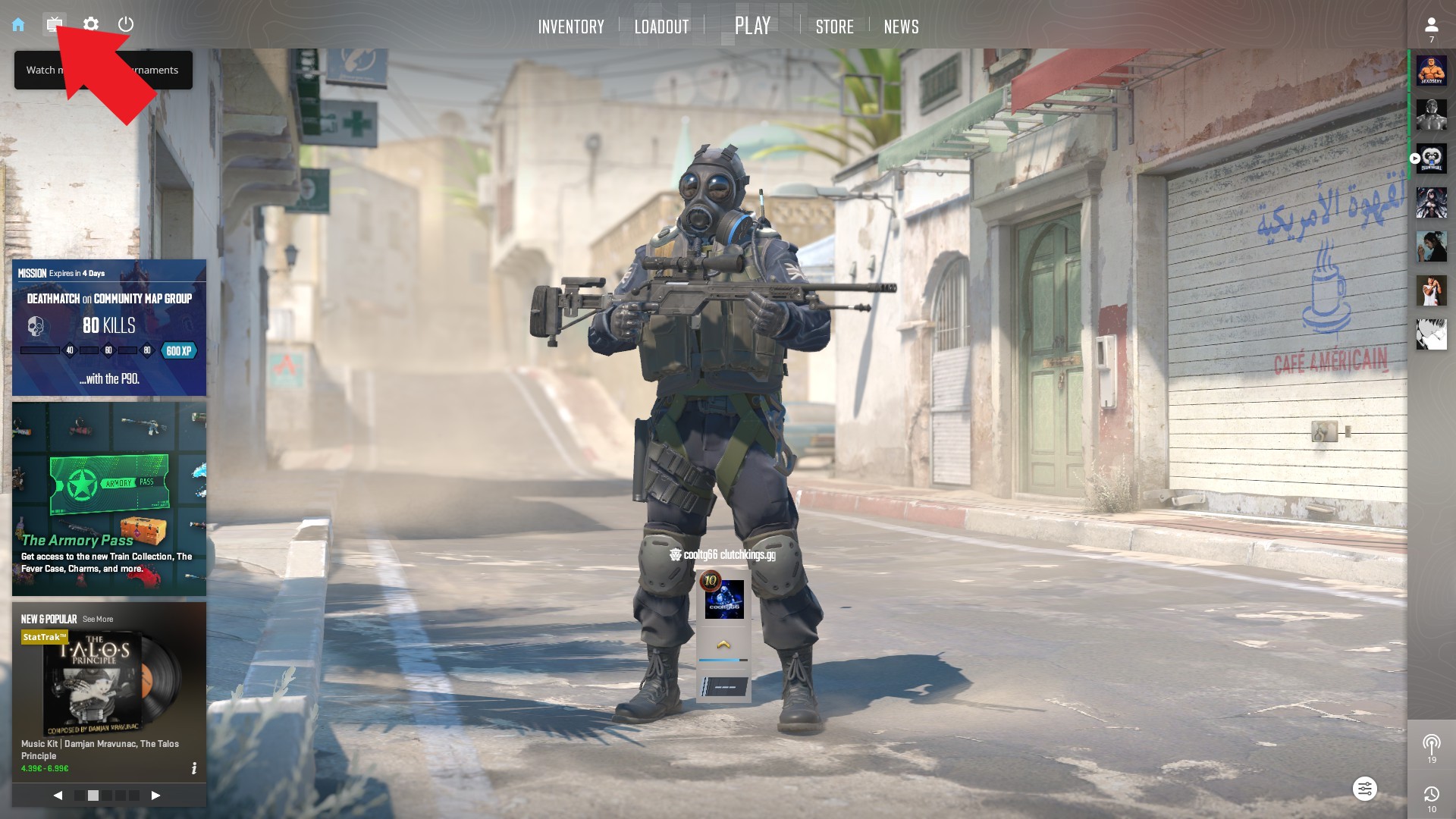
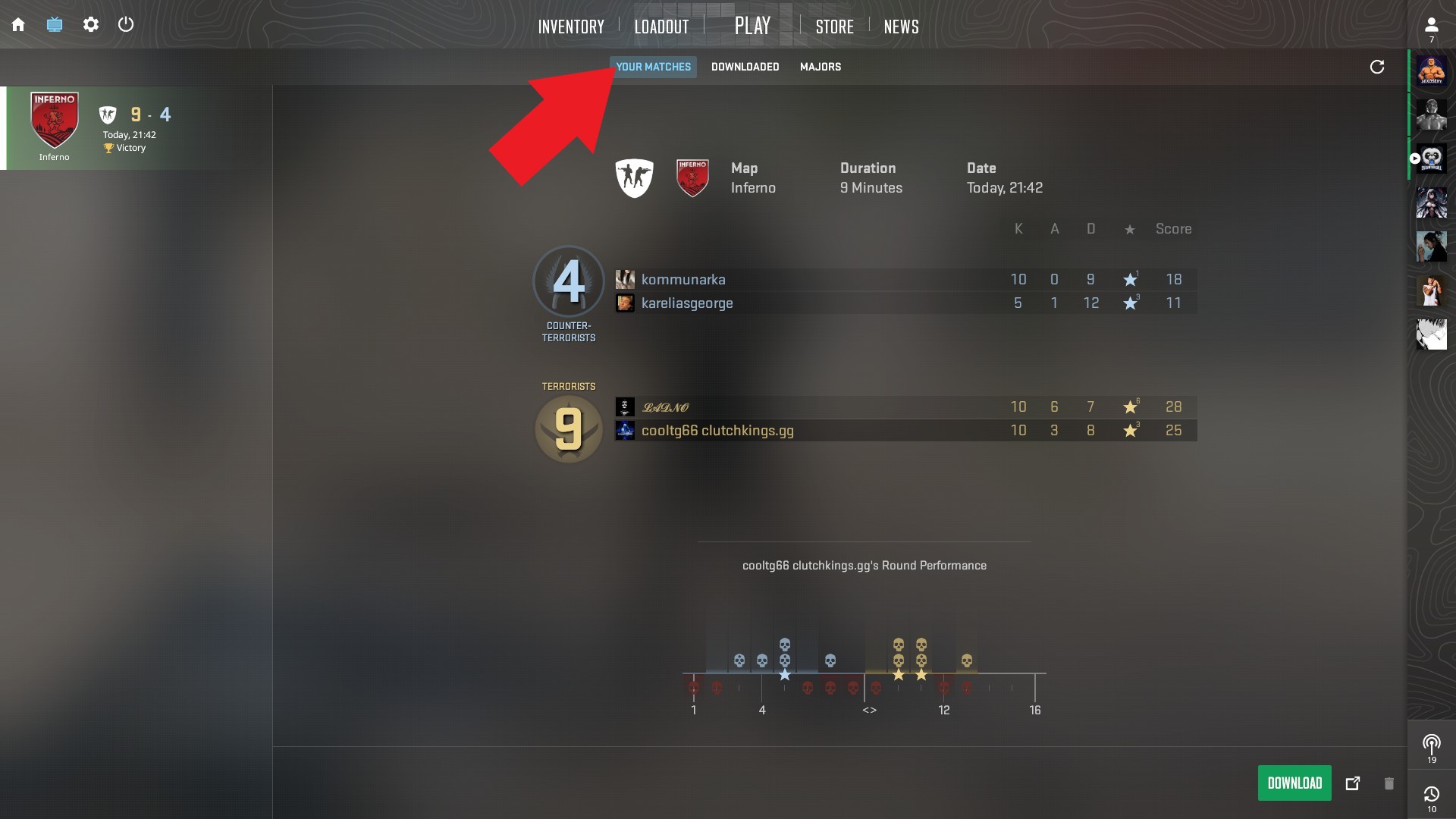
Then go to YOUR MATCHES.
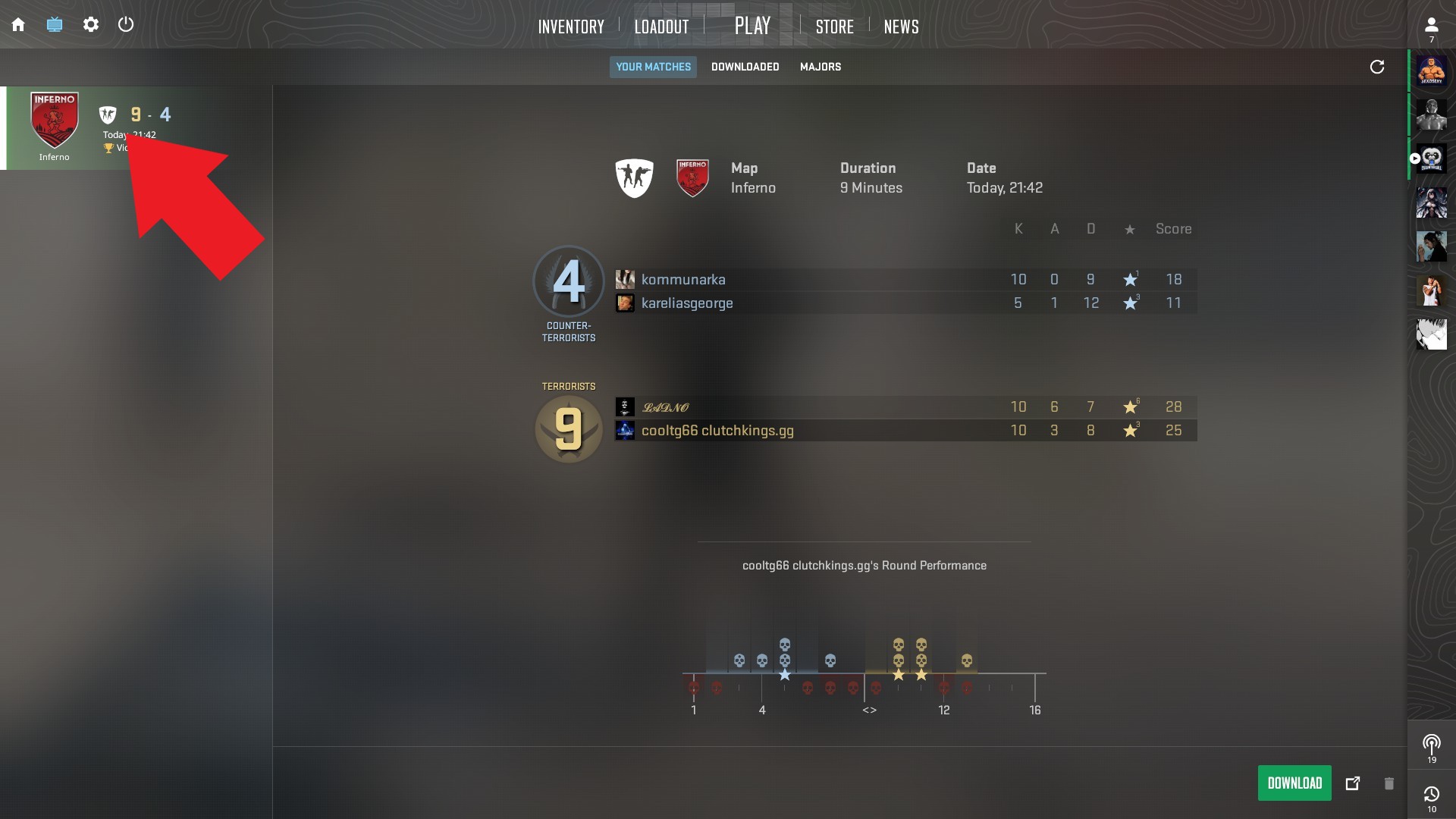
Then click on the match you want the match sharing code for.
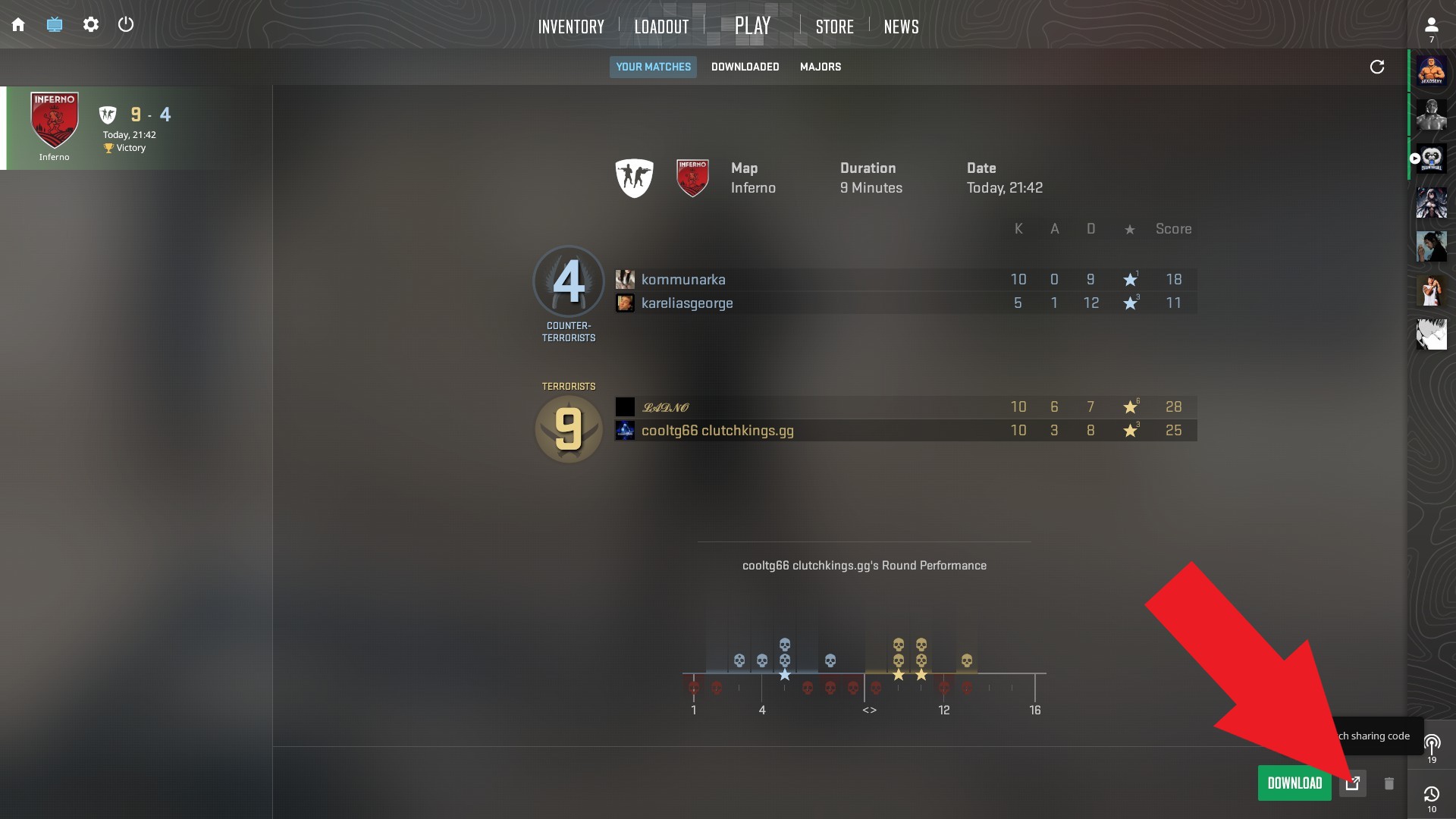
Then click on Copy Match Sharing Code.
Then go to YOUR MATCHES.
Then click on the match you want the match sharing code for.
Then click on Copy Match Sharing Code.
You can choose which clips to keep by toggling the save button on your Clips page. You get 50 GB of storage if you are a Supporter, 1 GB if you are logged in with Steam, and no storage if you are a guest user.
Clips that aren't saved expire after 30 days and may be deleted at any time by the website's algorithm.
Clips that aren't saved expire after 30 days and may be deleted at any time by the website's algorithm.
Of course. In Chrome, just click the three dots at the bottom right of the video player, then click Download. In other browsers, you can right-click the video, and there should be an option to download it.
You will get 100 normal-priority clips per week instead of only 1 normal-priority clip per week and 99 low-priority clips per week.
To prevent abuse from newly created Steam accounts that spam the system, we need to check that your Steam account has at least 25 official matchmaking wins in CS:GO/CS2. To allow us to retrieve this information, you need to set your profile and game details to public. You can set those settings back to private once we have retrieved this information.
To prevent abuse from newly created Steam accounts that spam the system, we need to check that your Steam account has at least 25 official matchmaking wins in CS:GO/CS2. To allow us to retrieve this information, you need to set your profile and game details to public. You can set those settings back to private once we have retrieved this information.
To set your profile and game details to public, open the main Steam window and go to your profile.

Then go to Edit Profile.

Then go to Privacy Settings.

Then select Public for My Profile and Public for Game Details.

Then go to Edit Profile.
Then go to Privacy Settings.
Then select Public for My Profile and Public for Game Details.
You need to wait at least 5 minutes for Steam to apply the settings.
Then click UNLOCK NORMAL PRIORITY CLIP CREDITS in the left menu, then click the "Check my number of MM wins" button.
If you don't see UNLOCK NORMAL PRIORITY CLIP CREDITS in the left menu, it means you already have your 100 normal-priority clips per week.
Then click UNLOCK NORMAL PRIORITY CLIP CREDITS in the left menu, then click the "Check my number of MM wins" button.
If you don't see UNLOCK NORMAL PRIORITY CLIP CREDITS in the left menu, it means you already have your 100 normal-priority clips per week.
These features are for Supporters.
If you are a Supporter, you can use these features an unlimited number of times.
If you are not a Supporter, you can use these features once per month if you are logged in with Steam and have more than 25 MM wins.
If you are a Supporter, you can use these features an unlimited number of times.
If you are not a Supporter, you can use these features once per month if you are logged in with Steam and have more than 25 MM wins.